Viator Orin
Pinout, CAN wiring, and display notes for the rover's onboard Jetson AGX Orin.
The rover's onboard computer is a Jetson AGX Orin 32GB, running JetPack 5.1 on top of Ubuntu 20.04 "Focal Fossa". This page covers the expansion header pinout, how to wire the rover's CAN/power cables to it, and a display gotcha that trips people up when bringing up a monitor for the first time.
Wiring the rover harness
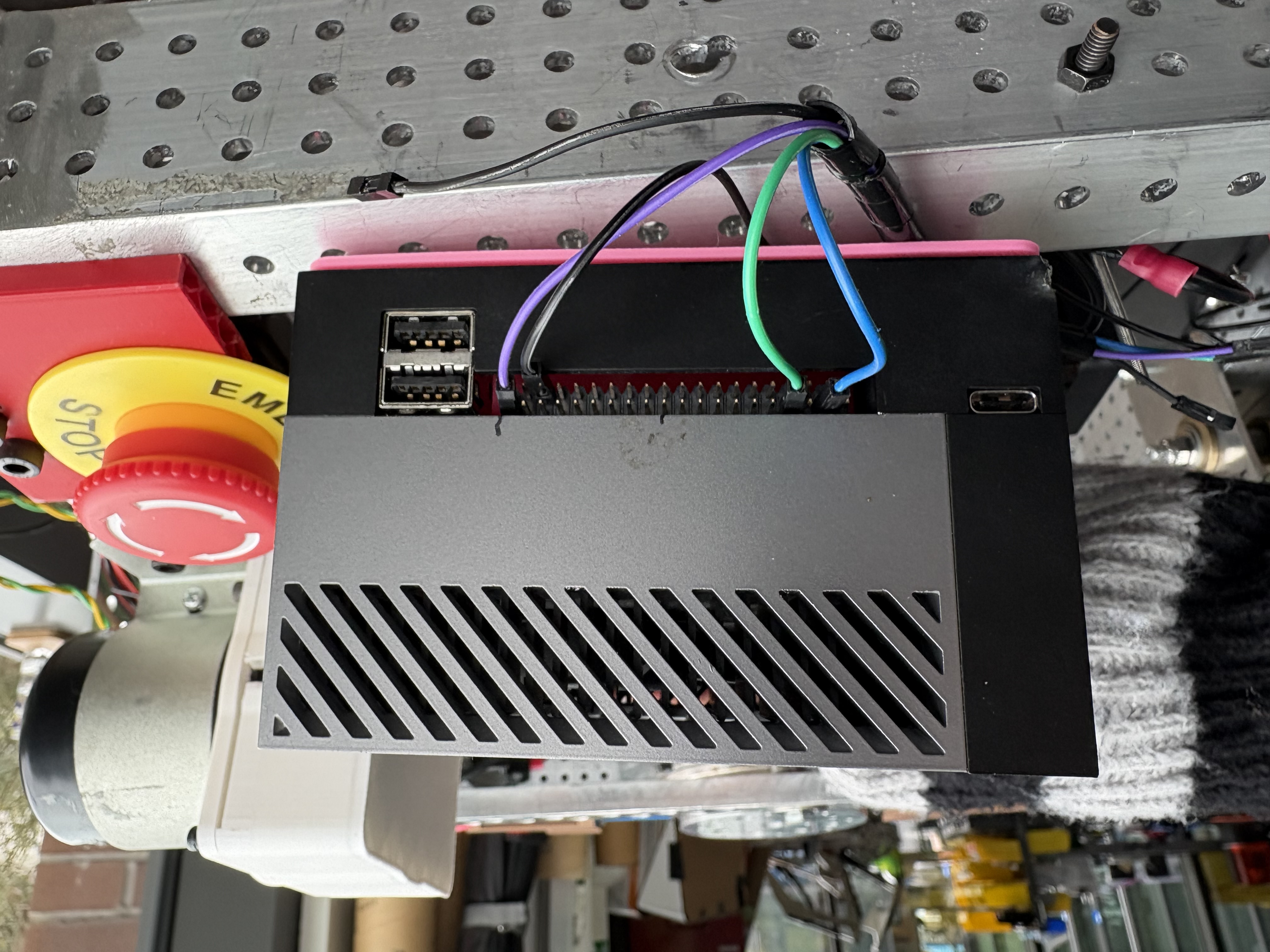
The rover connects to the Orin's expansion header with 5 cables:
| Cable | Signal | Connect to |
|---|---|---|
| Black (x2) | Ground | GND |
| Purple | Power | 3.3V |
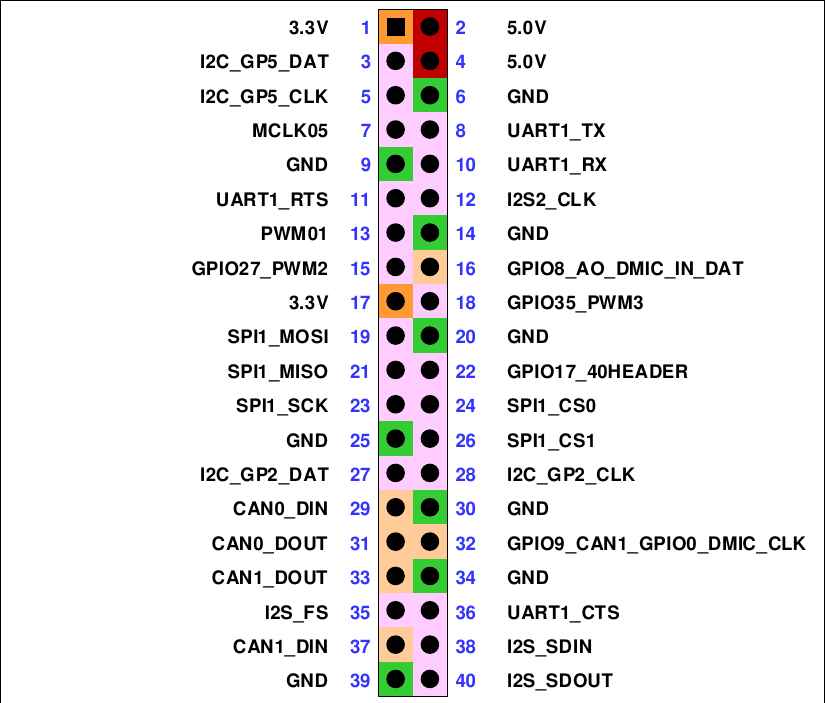
| Blue | CAN RX | CAN1_DIN |
| Green | CAN TX | CAN1_DOUT |
Double-check pin 1 before connecting
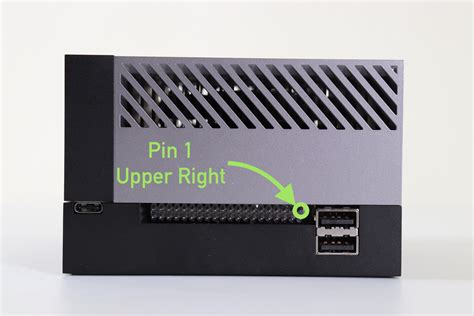
The header isn't keyed, so it's easy to plug the harness in a row off. Confirm pin 1 (upper right, per the pinout above) before connecting power — a misaligned connector can put 3.3V where ground is expected.
Pinout
Pin 1 is in the upper right of the header.
Example Wiring
Display compatibility
The Orin only outputs native DisplayPort. Most monitors won't work with it unless they have a DP input — passive DP-to-HDMI cables generally don't work, because the DisplayPort and HDMI connector shapes aren't compatible with a simple adapter cable (it requires active protocol conversion, not just a different plug). Use a monitor with a native DP socket, or a proper active DP-to-HDMI adapter, when bringing up a display on the Orin.